For people who research Oʻahu property for a living.
The record a professional needs — tenure, assessment, zoning, permits, flood, sea-level rise, cesspool and short-term-rental status — for every property on the island, with a source and a date under every field, plus the working layer that keeps a week of research together.


Everything in Free, and the working layer on top of it.
The research surface stays free. Pro is what keeps a week of research together and measures the property itself.
The whole Oʻahu map, every property and parcel page and all five Hawaiʻi checks are free and stay free. Pro adds the saved work, the exports, the aerial investigation and the site intelligence a professional uses every day.
One price: $99 a month, locked for 12months, against a list price of $149 stated openly so nobody discovers it later.
- Everything in Free
- Saved properties
- Saved searches
- Watchlists and alerts
- Property comparison
- Professional exports and PDF dossiers
- Full aerial investigation
- Permit and property timeline
- View and site intelligence
- Report credits
- Priority support
What Pro does for a working week.
Eight capabilities, each of which exists because a professional asked for it on a Tuesday afternoon.
- Saved properties and saved searchesThe addresses you are working and the filter set that found them, kept between sessions and across devices.
- Watchlists and alertsA note when a record changes on a property or a search you are holding — assessment, permit, registration or ownership.
- Property comparisonPut properties side by side on the fields that decide it, rather than opening five tabs and holding the differences in your head.
- Professional exports and PDF dossiersA filtered list as CSV, and a single property as a source-cited document you can hand to a client with your name on it.
- Full aerial investigationThe City and County of Honolulu 2024 capture at 7.94 cm per pixel at the deepest level, with the parcel boundary over it and the measurement tools on top.
- Permit and property timelineThe parcel’s history in order — permits, assessments and recorded transfers — instead of four separate lists.
- View and site intelligenceWhat can be seen from the property, what blocks it, how steep the lot and the driveway are, and what the zoning envelope allows.
- Report credits and priority supportProperty Intelligence Reports included with the plan, and answers from the people who wrote the ingest for the field you are asking about.
Four steps, start to finish.
The research surface doing professional work, with Pro keeping the result.
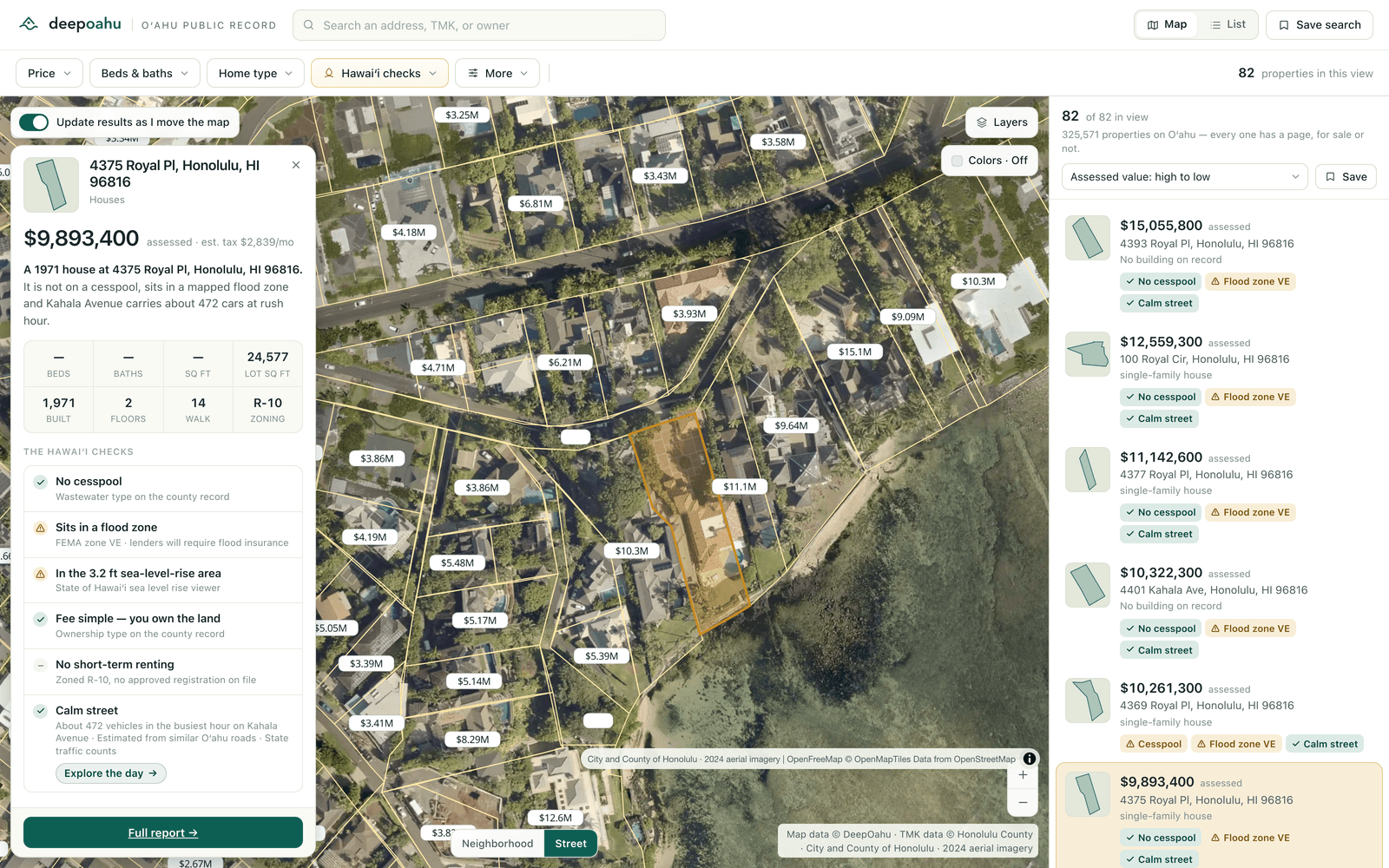
- Screen the island firstColour every parcel by flood zone, sea-level rise, cesspool evidence, zoning, assessed value, walkability or short-term-rental registration, then filter down — each of the five Hawaiʻi checks works in both directions, so you can hunt for the ones with a cesspool or rule them out.
- Open the record, not a listingEvery property page carries the county assessment split into land and building, the owner of record and mailing address, the building record, lot size, legal description and zoning class, with the source and the publication date under each.
- Read the Hawaiʻi fine printFee simple or leasehold from the ownership-type record. Mapped cesspool evidence and the Department of Health replacement-priority band. Registered short-term-rental records. FEMA flood zone and the 3.2 ft sea-level-rise overlay. Permit history on the parcel.
- Send the exact viewCamera, colouring, filters and selection all live in the URL, so the link you send opens on what you were looking at rather than on the island.

One price, stated once.
Monthly or annual, on the same founding lock.
$99/month
Founding price
- Annual
- $990 a year — two months free against the monthly price.
- Price lock
- 12 months from activation. It survives a list-price rise and is notified at least thirty days before any change.
- List price
- $149 a month. Stated now so it is not a surprise later.
- Cancellation
- Any time, effective at the end of the paid period. A first month is refundable in full for fourteen days.
Before you get started.
- How do I get started?
Request Pro access and we set you up the same business day, at $99 a month locked for 12 months.
- Can I cancel?
Yes. Monthly plans cancel any time, effective at the end of the paid period, and a first month is refundable in full for fourteen days.
- Will my price go up?
Not for 12 months from the day access starts. The list price is $149 a month and the founding lock survives the move to it. Any price change is notified at least thirty days before the renewal it applies to, and never mid-period.
- Is the map still free?
Yes. The whole Oʻahu map, every property and parcel page and all five Hawaiʻi checks are free with no account. Pro is the working layer on top of it.
Explore the map →- Where does the data come from?
7 public-record sources and 17 datasets, with ~320 public-record fields captured and the source and publication date under every one.
Data & methodology →- Can I see the plan comparison?
Yes — the full grid of what Free, Pro and Teams each include is on the pricing page.
Compare the plans →
Get Pro.
Tell us what you research and we set the account up around it, the same business day.